Best AI Headshot Generator for LinkedIn Profiles (2026)
Looking for the best AI headshot generator for LinkedIn? Discover the top tools to create crisp, approachable profile photos that stand out to recruiters.

Your LinkedIn profile picture is often the first visual touchpoint for recruiters, clients, and potential business partners. Profiles with high-quality, professional headshots receive up to 21 times more views and 9 times more connection requests than those without.
However, a photo that works for an artistic portfolio or an internal team directory might not work well on LinkedIn. LinkedIn profile photos are displayed at small sizes, inside circular crops, and against light-themed feeds.
Here is a breakdown of the best AI headshot generators specifically suited for LinkedIn profiles in 2026.
What Makes an AI Headshot Great for LinkedIn?
Before picking a tool, keep in mind the specific technical and aesthetic demands of LinkedIn’s interface:
- Circular Crop Framing: The head and shoulders should occupy roughly 50% to 60% of the frame so your face remains clear when viewed in LinkedIn's circular thumbnail.
- High Contrast & Sharpness: Because avatars are displayed at miniature sizes on mobile feeds (often under 50px across), flat lighting gets washed out. You need crisp catchlights and distinct subject-to-background contrast.
- Approachable Professionalism: Stiff, overly dramatic portraits can feel cold. A great LinkedIn headshot balances competence with a warm, open expression.
- Natural Likeness: Recruiters look for authenticity. Over-smoothed skin or artificial facial structures immediately look suspicious during virtual interviews.
The Top AI Headshot Tools for LinkedIn Profiles
| Generator | Best Suited For | Turnaround | Key LinkedIn Feature |
|---|---|---|---|
| Pixenza | Solo job seekers, founders & fast profile upgrades | < 60 seconds | LinkedIn-optimized framing & prompt-based backdrop lighting |
| Aragon AI | Users wanting dozens of casual & formal outfit options | ~30–45 mins | Broad selection of outdoor and office backgrounds |
| HeadshotPro | Remote teams standardizing company-wide LinkedIn avatars | ~1–2 hours | Strict team branding and uniform backdrops |
1. Pixenza — Best for Instant, High-Converting LinkedIn Headshots
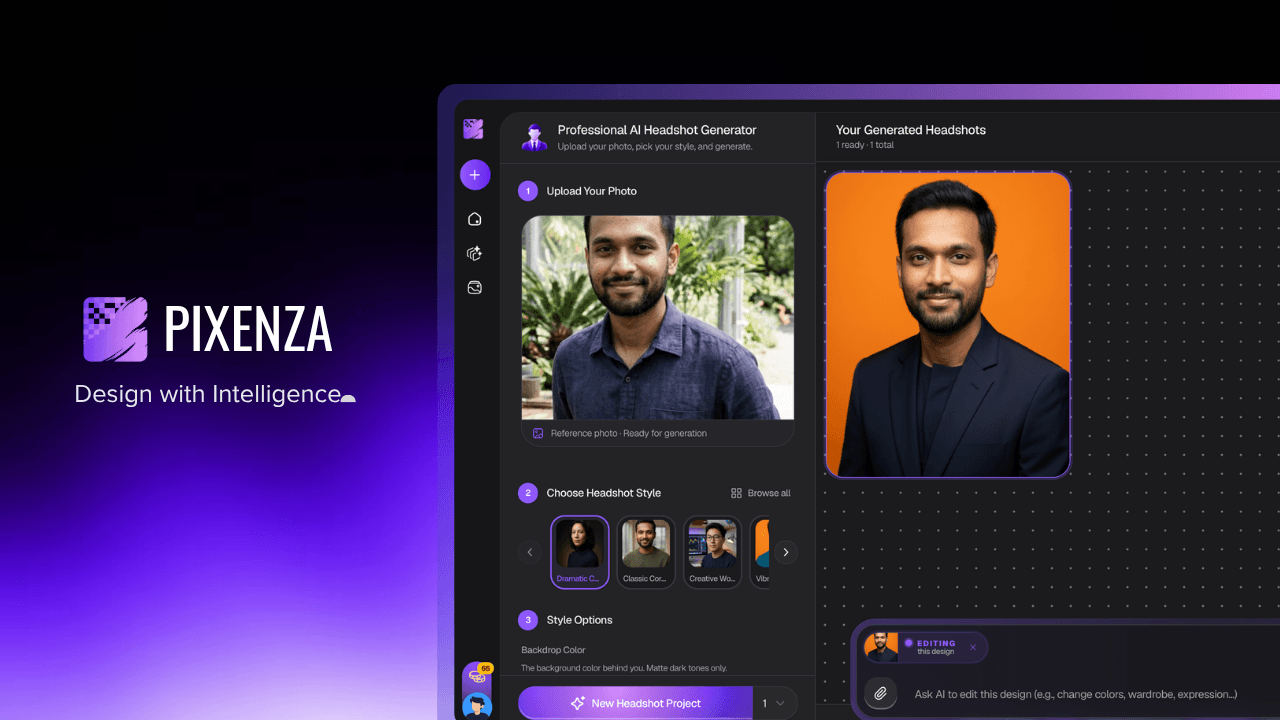

Pixenza is built to generate platform-ready professional portraits without requiring hours of processing or large photo batches.
Why It Works for LinkedIn:
- One-Selfie Workflow: Upload a single clear photo from your phone camera roll to generate publication-ready portraits in under a minute.
- Curated Styles: Presets like Classic Executive and Creative Studio are tailored for LinkedIn's feed visibility, pairing neutral studio tones with clean rim lighting.
- AI Advanced Edit: If you want to change your jacket color, lighten the background for better contrast, or adjust the framing, simply type a prompt to refine your photo instantly.
- Free to Test: Get started with free credits—no credit card required upfront.
2. Aragon AI — Best for Outfit & Wardrobe Variety
Aragon AI is a popular choice for job seekers who want to see how they look across a wide variety of clothing styles and environments.
Why It Works for LinkedIn:
- Provides dozens of variations ranging from business casual (sweaters, collared shirts) to formal business attire.
- Generates realistic modern office backgrounds that feel natural on social feeds.
Keep in Mind:
- Requires uploading 6–8 photos and waiting up to 45 minutes for delivery.
3. HeadshotPro — Best for Team LinkedIn Standardization
If you are standardizing LinkedIn headshots across an entire startup or remote department, HeadshotPro provides structured team workflows.
Why It Works for LinkedIn:
- Allows managers to enforce consistent background colors and lighting across all employee profiles.
- Dedicated company dashboard makes inviting team members straightforward.
Keep in Mind:
- Less flexible for individual creative tweaks or rapid single-photo turnarounds.
LinkedIn Headshot Best Practices (Quick Checklist)
When you download your AI-generated portrait, follow these steps before uploading to LinkedIn:
- Resolution: Upload an image at least 400 × 400 pixels (PNG or high-quality JPG).
- Framing: Center your head in the crop circle with a small margin above your hair so your head is not clipped.
- Background Choice: Choose matte dark gray, navy, or soft neutral backgrounds to ensure your profile pops against LinkedIn's white and light-gray feed layout.
- Visibility Settings: Set your profile photo visibility to Public in LinkedIn settings so searchers and recruiters can see your portrait before connecting.
The Verdict
If you need a fast, polished headshot optimized for LinkedIn's framing and feed dynamics:
- For rapid single-photo generation and flexible chat adjustments, try Pixenza free.
- For large packs of diverse outfits, consider Aragon AI.
- For company-wide remote team rollouts, explore HeadshotPro.
Generate your LinkedIn AI headshot with Pixenza in under 60 seconds.